You write the topic — Goutub makes the video
You give us a topic. Goutub writes the script, records the voice-over, picks the visuals, edits the video, and publishes it to your channel on schedule. No camera, no editor, no juggling ten different tools.
Three steps to a video on your channel
No editing required. The wizard asks four questions, then the platform takes it from there.
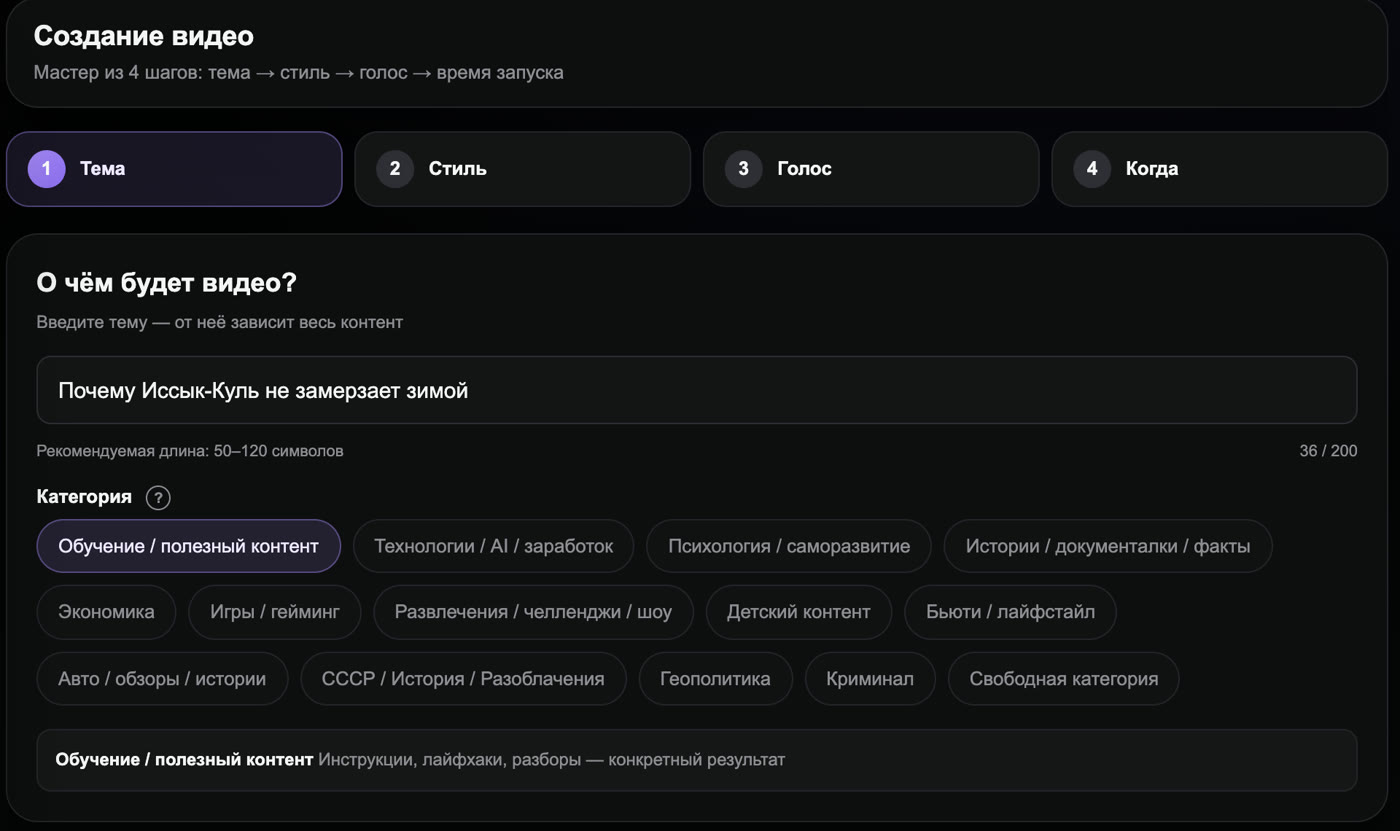
Enter a topic
One sentence and a category. If you're out of ideas, the Topic Generator will suggest ones for your niche.
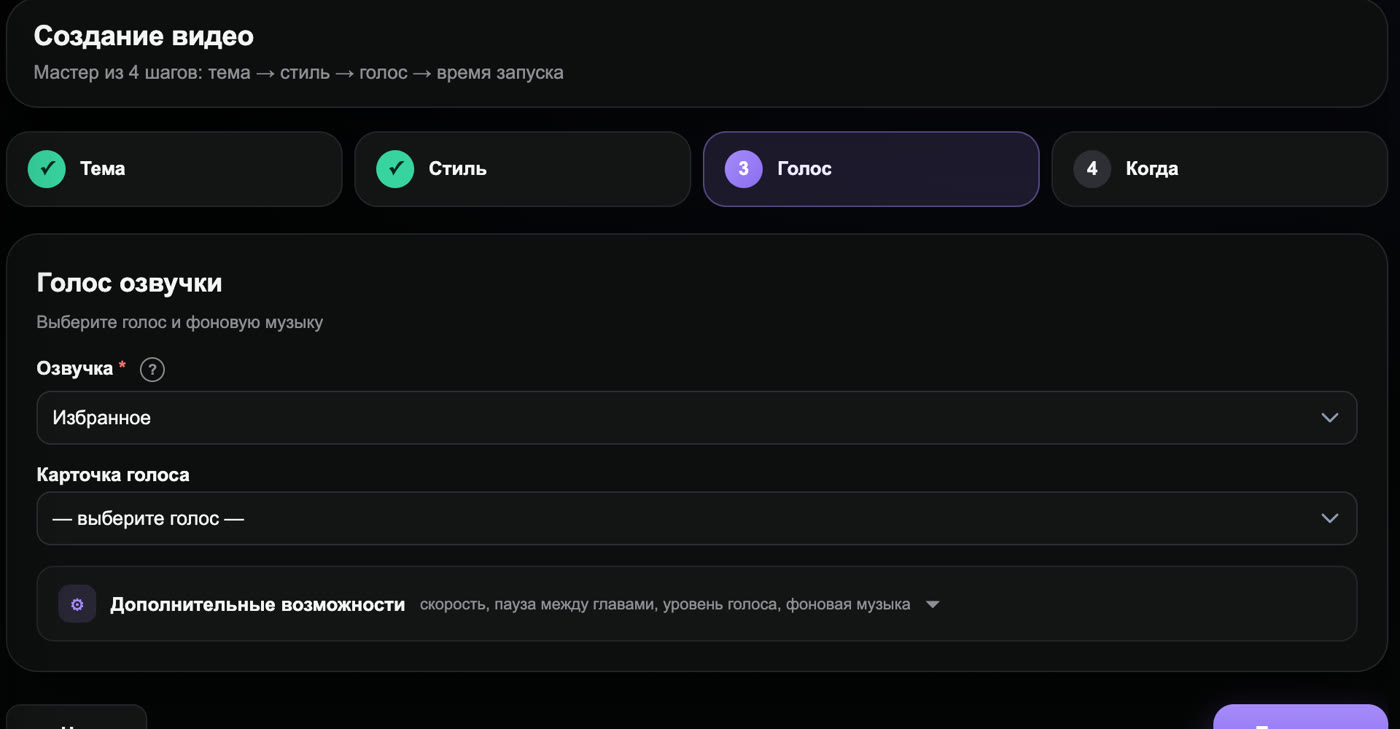
Pick a voice and a time slot
Hundreds of natural voices in English, Spanish, Portuguese, German, French and 30+ more languages. Reserve a slot and the video is produced automatically, even overnight.
Get your finished video
Script, voice-over, visuals, subtitles, thumbnails, and description. Download it or publish it to your channel right from the dashboard.
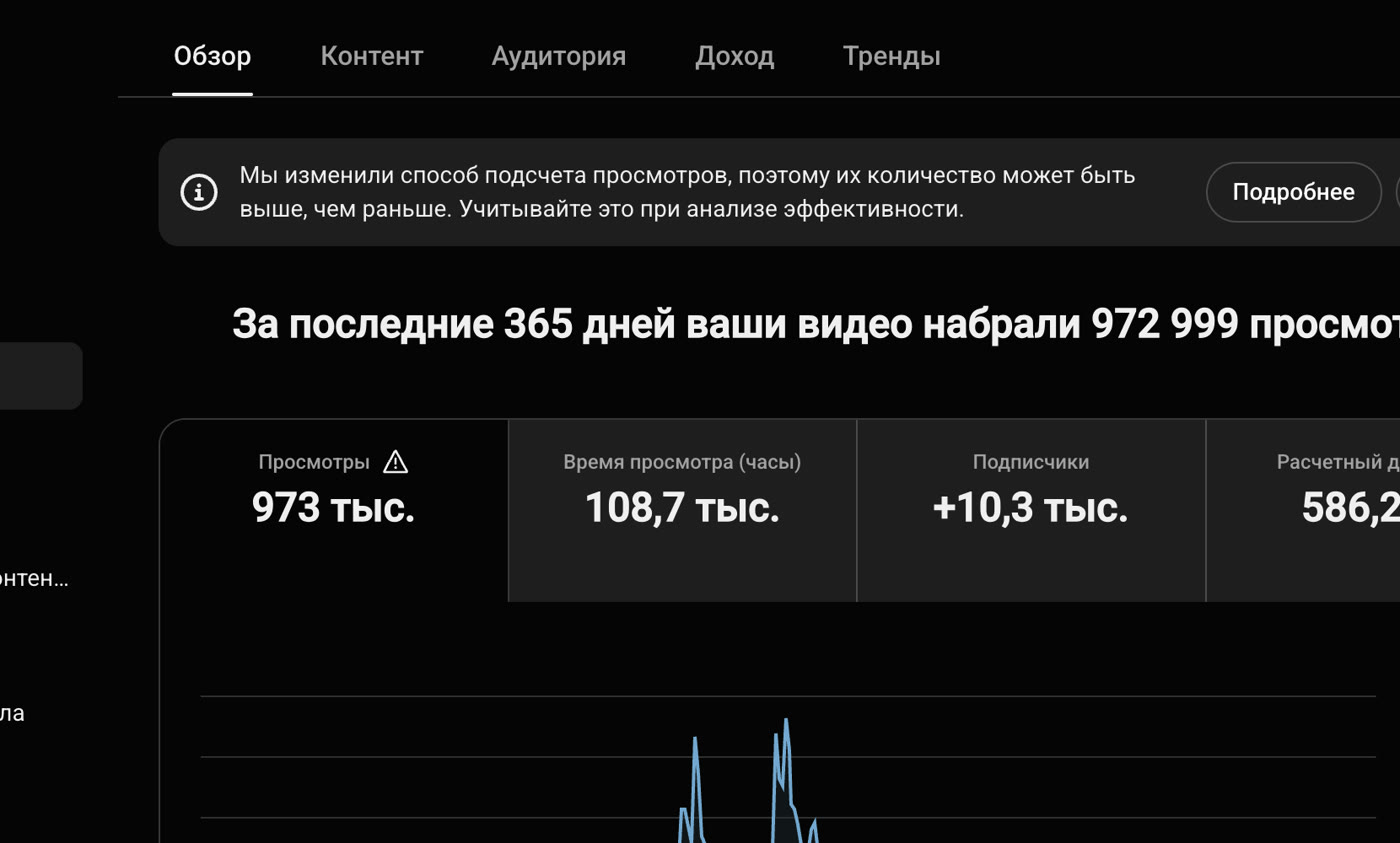
The "Archive" channel: from zero to monetization in 4 months
This channel runs entirely on Goutub: topics, scripts, voice-over, editing, and scheduled publishing.
The channel launched in November and passed the YouTube Partner Program review in February on the first try — every video on it was produced by the platform.
This is real YouTube Studio data for one specific channel, not a promise of income. Results depend on your niche and how consistently you publish.
Who saves months with Goutub
You gave up on your channel because of editing
You made 2–5 videos and got tired of cutting and voicing them. There's no editing here: topic, voice, time slot, done.
You run several channels
You pay freelancers for every video. One plan covers up to 50 scheduled videos a month.
You want channels in several languages
One topic — versions in English, Spanish, Portuguese or any of 30+ languages, each with a native-sounding voice. Scale one idea to many audiences.
Prices in US dollars, no surprises
Pick the volume that matches your pace. Starter covers 3 videos a week.
- Video up to ~15 min · up to 5 chapters
- Videos per month: 12
- Videos per day: up to 2
- No reels
- No Photo Generator
- 20 topics/day in Topic Generator
- No AI Producer
- No "Own Script" mode
- Video up to ~35 min · up to 8 chapters
- Videos per month: 24
- Videos per day: up to 3
- Reels — 5 a month, 20–40 s motion videos
- 15 images/day in Photo Generator
- 100 topics/day in Topic Generator
- goutub-AI Producer: niche, content plan, topics and thumbnails — 15 messages/day
- Own Script: paste your finished script — the platform handles voice-over, visuals, editing, and thumbnails
- Video up to ~65 min · up to 10 chapters
- Videos per month: 36
- Videos per day: up to 5
- Reels — 30 a month, 20–40 s motion videos
- 40 images/day in Photo Generator
- 300 topics/day in Topic Generator
- goutub-AI Producer: niche, content plan, topics and thumbnails — 40 messages/day
- Own Script: paste your finished script — the platform handles voice-over, visuals, editing, and thumbnails
- Video up to ~115 min · up to 14 chapters
- Videos per month: 50
- Videos per day: up to 8
- Reels — 80 a month, 20–40 s motion videos
- 100 images/day in Photo Generator
- Unlimited topics/day in Topic Generator
- goutub-AI Producer: niche, content plan, topics and thumbnails — 80 messages/day
- Own Script: paste your finished script — the platform handles voice-over, visuals, editing, and thumbnails
Annual billing is 20% cheaper. See the full comparison and pay for a year on the Pricing page.
What people ask before getting started
Do I need editing skills or AI know-how?
How do I pay for a subscription?
Will YouTube penalize my channel for AI-made videos?
What if I don't like a video?
Your first video can go live today
Signing up takes a minute. Enter a topic, pick a voice, and your video will be in the dashboard in 20 minutes.